Installation
Add the Plugin
Copy the ProceduralPlanetGeneration plugin folder into your Unreal project:
YourProject/
  Plugins/
    ProceduralPlanetGeneration/
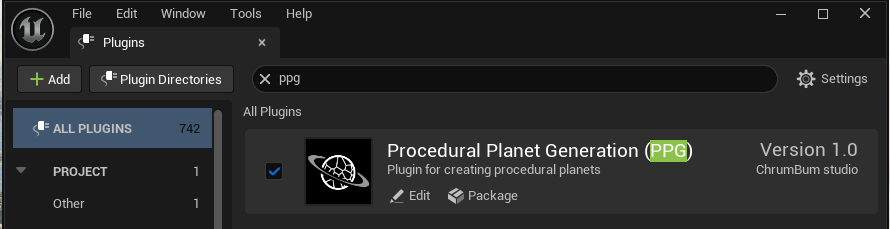
Then regenerate project files if your project uses C++, open the project, and enable the plugin if Unreal does not enable it automatically.
The plugin contains content, so make sure plugin content is visible in the Content Browser. The spawner Blueprint and the included reference assets both live in plugin content.
Rendering Requirements
PPG supports Win64 D3D11/SM5, D3D12/SM5, and D3D12/SM6 projects. Projects that ship an
SM5 configuration must include PCD3D_SM5 in their Windows targeted shader formats so the
generation and biome-mask compute permutations are cooked into the build.
Nanite and hardware ray tracing activate only when requested and supported by the active shader platform. Otherwise, terrain automatically uses the complete conventional static-mesh path and skips ray-tracing proxy initialization. The generated water surface and native GPU wave simulation are available on both SM5 and SM6. SM6 retains the optimized in-place FFT and single-pass export path; SM5 uses compatibility scratch resources and split export passes.
Custom generation, biome-mask, surface, foliage, and water materials used on an SM5 target must avoid SM6-only expressions and resources. The plugin does not change project-level renderer or targeted-shader-format settings.
Included Modules
| Module | Purpose |
|---|---|
PPG |
Main runtime/editor-facing planet generation code. |
ComputeShader |
GPU compute shader interfaces used by terrain and foliage generation. |
VoxelCore |
Bundled utility code used for mesh generation. |
Included Content
The plugin ships with the reusable spawner Blueprint, example content, and support assets, including:
Content/PlanetSpawnerBP, the Blueprint users place in a level to spawn planetContent/Example/Level/PPGExampleLevelContent/Example/Assets/ExamplePlanetDataContent/Example/Assets/M_PPG_ExampleGenerationContent/Example/Assets/M_PPG_ExampleBiomeMaskContent/Example/Assets/M_PPG_ExampleSurfaceContent/Example/Assets/Character/ExamplePlanetCharacter- Water materials and water simulation assets under
Content/Water - Cloud material assets under
Content/Clouds